

Customer Opinions
On this page 10
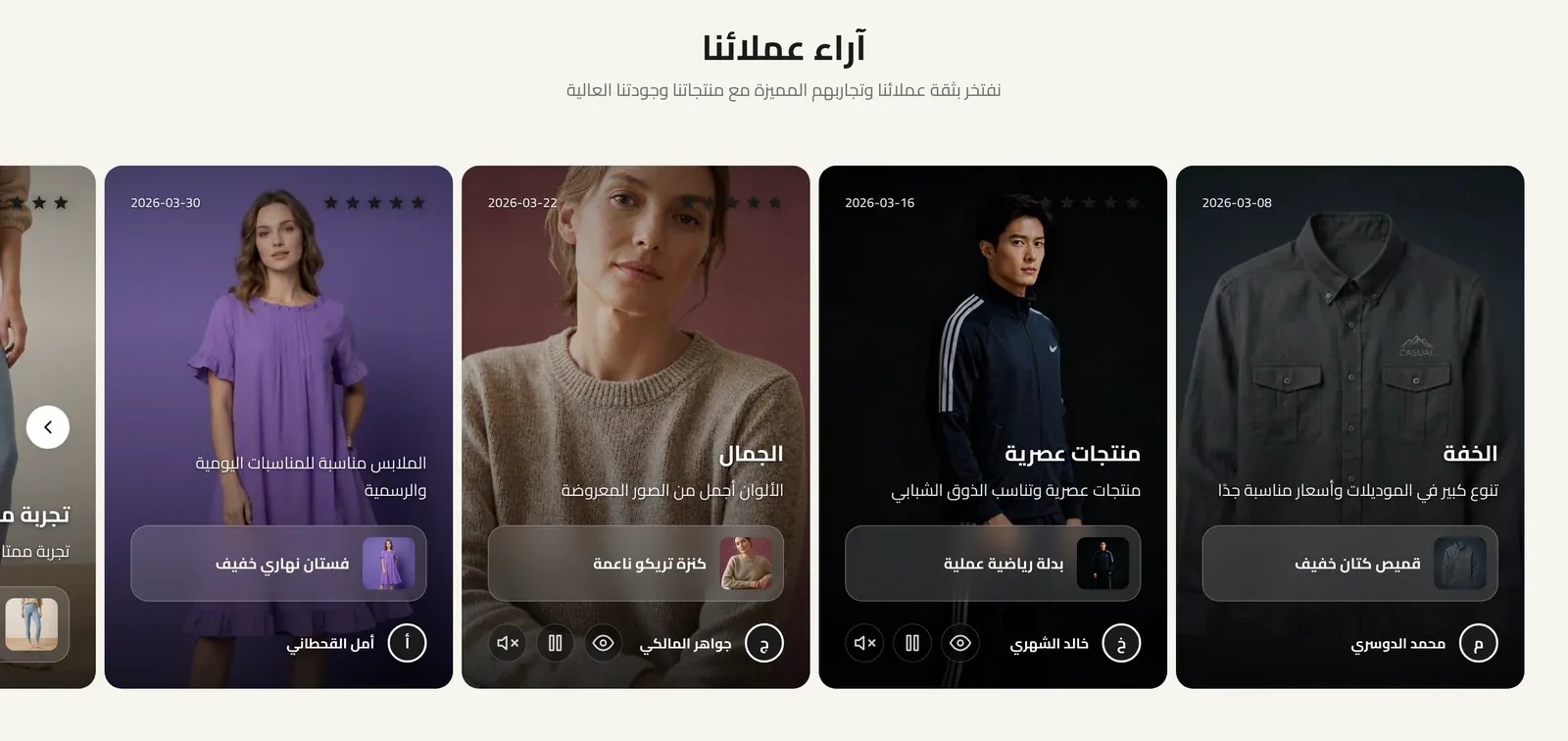
A slider of customer reviews and testimonials, each shown as a card with a star rating, quote, and the customer’s name - building trust by showing what real customers say.
Section Header
- Section Title - the main heading for the section.
- Section Subtitle - supporting text shown near the title.
- Title Font Weight - how bold the title text appears, from Light to Extrabold.
- Subtitle Font Weight - how bold the subtitle text appears, from Light to Extrabold.
- Header Style - whether the heading sits centered above the reviews, or splits to sit side by side.
- Heading Alignment - aligns the heading text to the left, center, or right.
- Title Pre Decoration - a small decorative touch before the title: none, a short bar, an underline, or a spark.
- Subtitle Pre Decoration - a small decorative touch before the subtitle: none, a soft line, or a spark.
- Eyebrow (above title) - a short line of text shown just above the section title, handy for a small tagline such as “New Arrivals”. Leave it empty to hide it.
- Eyebrow Style - how the eyebrow looks: Plain text, With Line (a short line before the text), or Pill (the text inside a small rounded badge).
- Eyebrow Font Weight - how bold the eyebrow text appears, from Light to Extrabold.
- Eyebrow Color - the color of the eyebrow text. If left empty, the theme’s accent color is used.
- Badge Background Color - the fill color behind the eyebrow text. Only shows when Eyebrow Style is set to Pill.
- Main Title Color (optional) - a custom color for the section title. Leave it empty to keep the default color.
- Subtitle Color (optional) - a custom color for the subtitle. Leave it empty to keep the default color.
Stars Color
The color of the star rating icons: your store’s primary theme color, plain Yellow, or a Custom Color you choose below.
Custom Stars Color
The exact color used for the stars, when Stars Color is set to Custom.
Card Quote Mark
A quotation-mark icon shown at the top of review cards that don’t have an image or video.
- Show Quote Mark - turns the quote mark on or off.
- Quote Mark Icon - the icon’s shape: Solid Quote, Classic Quote, Outlined Quote, or Speech Bubble.
- Quote Mark Size (px) - how large the quote mark appears, in pixels.
- Quote Mark Opacity (%) - how solid the quote mark looks; lower values make it fainter.
Section Background Color
The background color behind the whole section.
Review Card
- Review Card Background Color - the background color of each review card.
- Review Card Title & Author Color - the color of the card’s heading and author text.
- Review Card Text Color - the color of the review’s body text.
- Review Card Accent Color (Border & Tint) - the color used for the thin border, the soft tint at the top of the card, and the quote mark, on review cards without an image or video. If left empty, the theme’s accent color is used.
- Review Text Lines (Card Without Media) - the maximum number of lines of review text shown on cards without an image or video; longer reviews are cut off.
- Review Text Lines (Card With Media) - the same line limit for cards that show an image or video.
Reviews List
Each entry in this list is one customer review card.
- Media Type - whether this review shows an Image or a Video alongside the quote.
- Media Image - the picture shown with the review (used when Media Type is Image).
- Media Video - the video shown with the review (used when Media Type is Video).
- Show Video Controls - when on, shows playback controls on the video.
- Autoplay Video - when on, the video starts playing automatically.
- Mute Video - when on, the video plays with no sound by default.
- Linked Product - a product this review relates to, shown alongside the review.
- Rating - the star rating for this review, from 1 to 5.
- Date - the date shown on the review.
- Quote Title - a short bold headline summarizing the review, shown above the full text.
- Review Text - the full body of the customer’s review.
- Author Name - the customer’s name.
- Author Avatar - a small profile picture for the customer.
Autoplay
When on, the reviews slider automatically advances on its own.
Slide Speed (Seconds)
How many seconds between automatic slide advances. Only used when Autoplay is on.
Navigation Style
How visitors navigate manually between reviews: Arrows, Dots, or a draggable Scrollbar.