

TikTok Feed
On this page 11
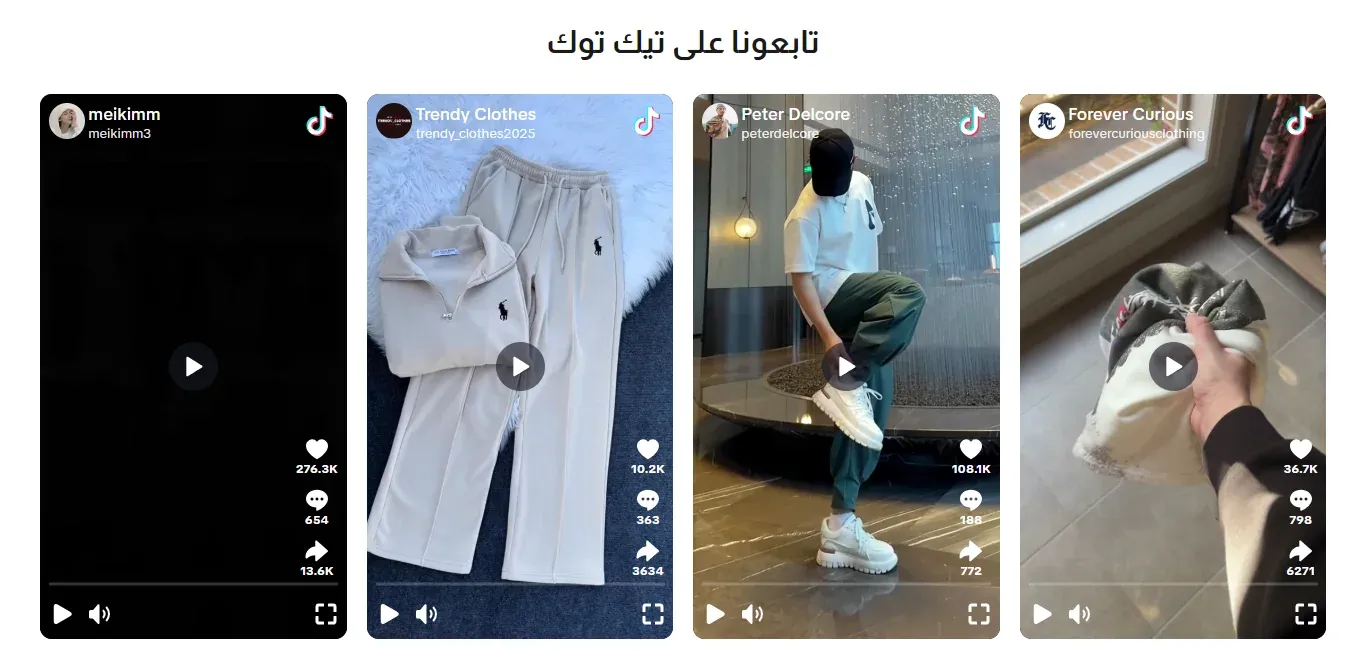
A grid or slider of TikTok videos, letting you showcase your brand’s TikTok content directly on your storefront, with either the native TikTok look or a lightweight video player.
Section Header
- Eyebrow (above title) - a short line of text shown just above the section title, handy for a small tagline such as “New Arrivals”. Leave it empty to hide it.
- Eyebrow Style - how the eyebrow looks: Plain text, With Line (a short line before the text), or Pill (the text inside a small rounded badge).
- Eyebrow Font Weight - how bold the eyebrow text appears, from Light to Extrabold.
- Eyebrow Color - the color of the eyebrow text. If left empty, the theme’s accent color is used.
- Badge Background Color - the fill color behind the eyebrow text. Only shows when Eyebrow Style is set to Pill.
- Section Title / Section Description - the heading and supporting text for the section.
- Title Font Weight / Subtitle Font Weight - how bold each appears.
- Main Title Color (optional) - a custom color for the section title. Leave it empty to keep the default color.
- Subtitle Color (optional) - a custom color for the description text. Leave it empty to keep the default color.
- Header Style - centered above the videos, or split to sit side by side.
- Heading Alignment - left, center, or right.
- Title Pre Decoration / Subtitle Pre Decoration - a small decorative touch before each.
Layout
Whether videos are shown in a fixed Grid, or as a Slider (Carousel).
Slider Navigation Style / Slider Autoplay / Slide Speed (Seconds)
Only relevant when Layout is Slider: the manual navigation style (Arrows, Dots, or Scrollbar), whether it advances automatically, and how many seconds between advances.
Video Display Style
Whether each video shows as a Native TikTok Card (with TikTok’s own branding and buttons), or in the Lightweight Video Player (recommended), a simpler player without TikTok’s branding and buttons that is lighter to load and gives you more control over its look. The Lightweight Video Player is the default.
Card Appearance
How each video’s frame looks: Boxed (with a drop shadow), Bordered (an outline), or Plain (no frame).
Layout & Columns
- Number of Columns (Desktop / Tablet / Mobile) - how many videos sit side by side at each screen size.
- Gap Between Videos - the spacing between videos.
Border Radius
How rounded each video’s corners are.
Video Player Settings
Only relevant when Video Display Style is “Lightweight Video Player (recommended)”.
- Player Aspect Ratio - Vertical 9:16, Square 1:1, or Wide 16:9.
- Show Video Description / Show Music Info - toggle the caption text and the song/audio credit.
- Show Player Controls / Show Progress Bar / Show Volume Control / Show Fullscreen Button / Show Timestamp - individually toggle each playback control.
- Autoplay (muted) / Loop Video - whether the video starts playing automatically (without sound) and whether it repeats.
Show on Mobile
When off, the section is hidden entirely on phone screens.
Section Background Color
The background color behind the whole section.
Videos
Each entry in this list is one TikTok video.
- TikTok Video URL (required) - the link to the specific TikTok video to embed.
- Caption (optional) - a short caption shown with the video.