

Split Banners
On this page 4
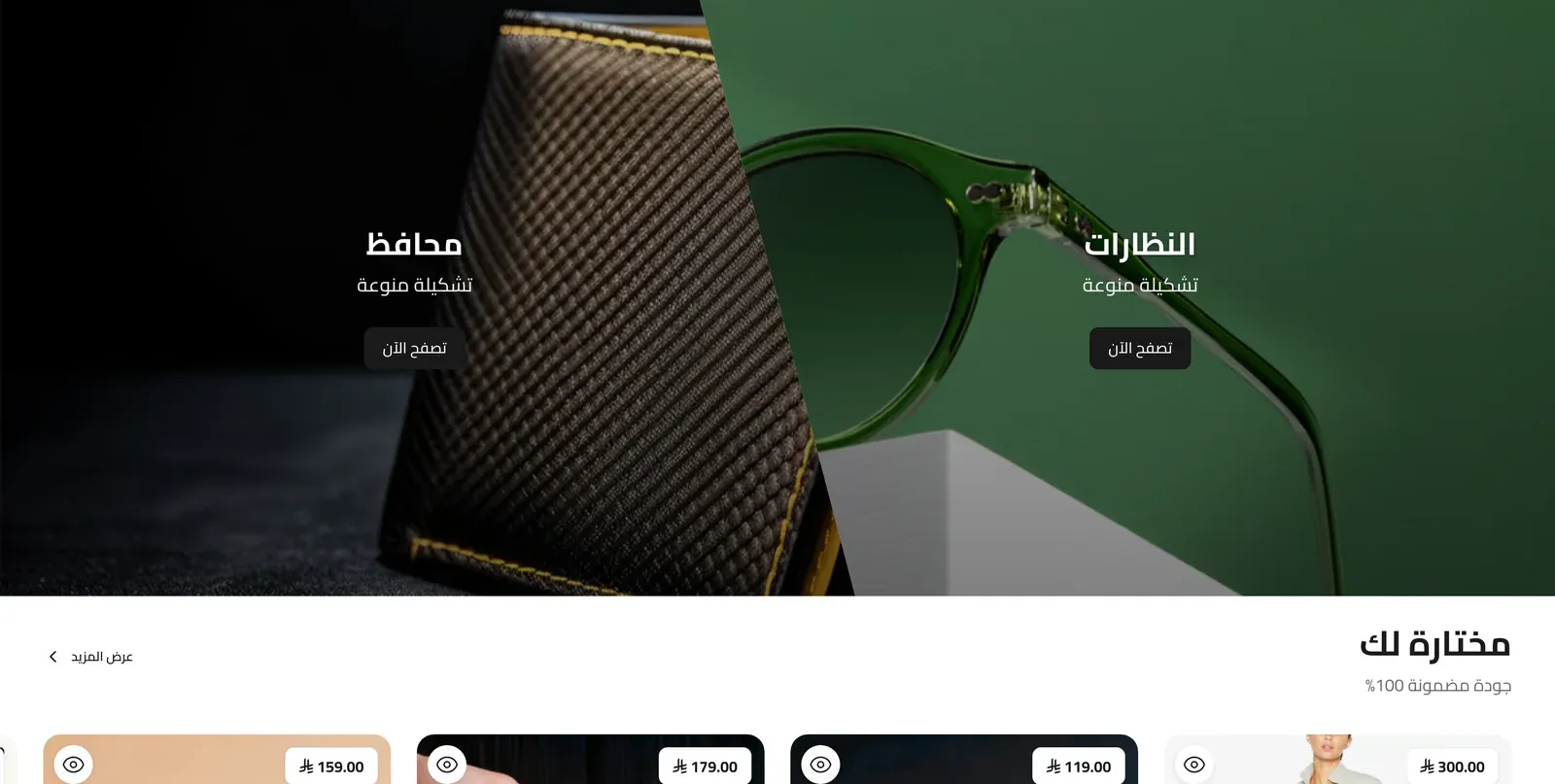
Two banners shown side by side (or stacked), each with its own image or video, heading, and button - good for pairing two related promotions or categories.
Layout Style
Whether the two banners sit in a Standard (Vertical) split, or an Oblique (Diagonal) split with an angled dividing line between them.
Banner Height
How tall the banners are: By aspect ratio (recommended) gives each banner a fixed shape that you choose below, while Full screen makes the banners fill the height of the screen below your store’s header. On phones, Full screen stacks the two banners, each taking up about 60% of the screen height.
Banner Aspect Ratio (Desktop) / Banner Aspect Ratio (Mobile)
Only used when Banner Height is set to By aspect ratio. The shape of each banner, set separately for desktop and mobile: Wide 16:9, Ultra Wide 3:1 (desktop only), 4:3, Square 1:1, or Portrait 3:4. On desktop, the Oblique (Diagonal) layout keeps its own wide shape and isn’t affected by the desktop ratio.
Banner 1 / Banner 2
Both banners share the exact same set of settings, applied independently to each side.
- Layout Type - Standard (Text + Button), showing a heading and button on the banner, or Minimal (Image only), showing just the image or video with no text.
- Media Type - whether this banner shows an Image or a Video.
- Banner Image (1) / Banner Image (2) - the picture shown on that banner (used when Media Type is Image).
- Video Source - whether the video comes from a YouTube link or an uploaded file (used when Media Type is Video).
- Video URL - a YouTube link to use as the banner’s video.
- Video File - an uploaded video file to use instead.
- Link - the web address the banner opens when clicked.
- Content Position - where the heading/button content sits on the banner: Center, Center Bottom, Bottom Left, or Bottom Right.
- Title - the banner’s heading text.
- Title Font Size - how large the title text appears.
- Title Color - the color of the title text.
- Subtitle - supporting text shown under the title.
- Subtitle Color - the color of the subtitle text.
- Button Text - the label on the banner’s button (only shown when Layout Type is Standard).
- Button Style - the button’s look: the theme’s default, a solid Colored Background, or a Transparent with Outline style.