

Blog Posts
On this page 3
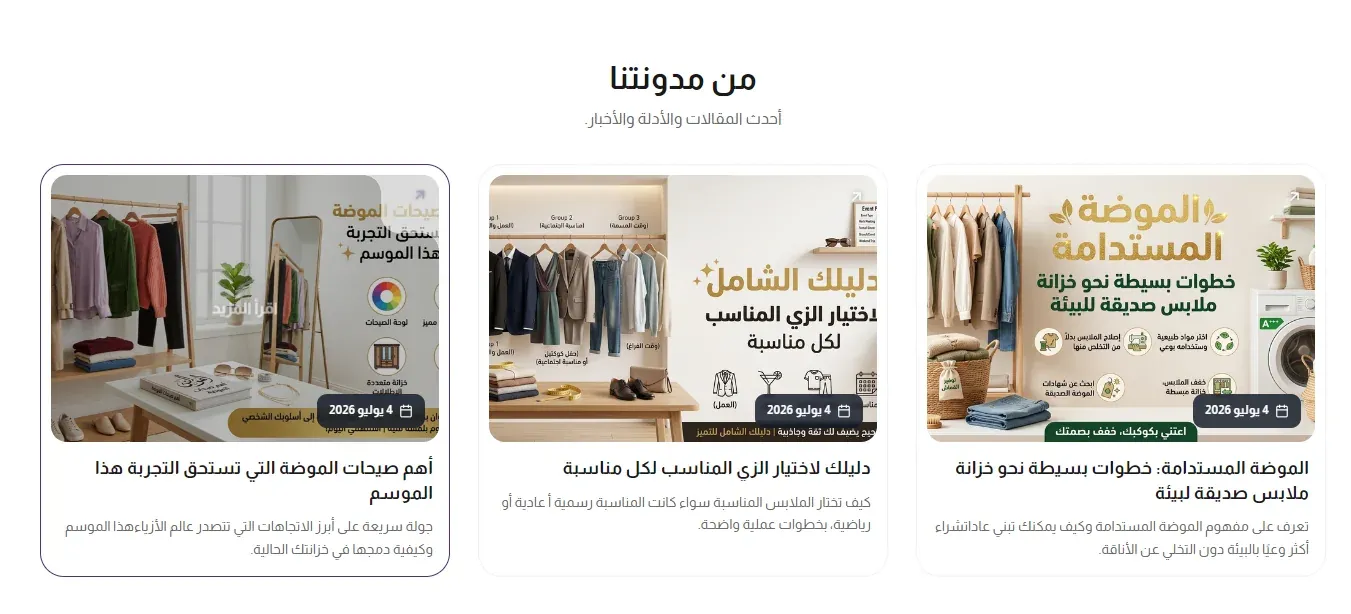
A grid of your latest blog articles, each shown as a card with its cover image, title, and excerpt - a way to surface your store’s blog content on any page.
Section Header
- Eyebrow (above title) - a short line of text shown just above the section title, handy for a small tagline such as “New Arrivals”. Leave it empty to hide it.
- Eyebrow Style - how the eyebrow looks: Plain text, With Line (a short line before the text), or Pill (the text inside a small rounded badge).
- Eyebrow Font Weight - how bold the eyebrow text appears, from Light to Extrabold.
- Eyebrow Color - the color of the eyebrow text. If left empty, the theme’s accent color is used.
- Badge Background Color - the fill color behind the eyebrow text. Only shows when Eyebrow Style is set to Pill.
- Section Title - the main heading for the section.
- Section Subtitle - supporting text shown near the title.
- Title Font Weight - how bold the title text appears, from Light to Extrabold.
- Subtitle Font Weight - how bold the subtitle text appears, from Light to Extrabold.
- Main Title Color (optional) - a custom color for the section title. Leave it empty to keep the default color.
- Subtitle Color (optional) - a custom color for the subtitle. Leave it empty to keep the default color.
- Header Style - whether the heading sits centered above the posts, or splits to sit side by side with the “view all” link.
- Heading Alignment - aligns the heading text to the left, center, or right.
- Title Pre Decoration - a small decorative touch before the title: none, a short bar, an underline, or a spark.
- Subtitle Pre Decoration - a small decorative touch before the subtitle: none, a soft line, or a spark.
Layout & Columns
- Number of Posts - how many of your latest blog articles to display, from 1 to 12.
- Columns (Desktop) - how many post cards sit side by side on desktop screens: 2, 3, or 4.
- Columns (Tablet) - how many post cards sit side by side on tablet screens: 1, 2, or 3.
- Columns (Mobile) - how many post cards sit side by side on phones: 1 or 2.
View More Button
- Show “View All” Link - when on, adds a link to your full blog. Turn off to show only the posts above with no link.
- View All Text - the label on the “view all” link.
- View All Link Position - whether the link sits aligned with the section title, or on its own below all the posts.
- View All Button Style - the link’s look: a plain text link, or a solid/outline/ghost button in the theme’s primary or secondary color.
- View All Button Size - how large the “view all” button or link appears.